School Website Design in Jammu & Kashmir
A school website serves two audiences: families deciding whether to apply and existing parents looking for reliable information. This guide explains the pages that matter, how to build an admissions journey families can follow, and when a parent portal is worth the investment.
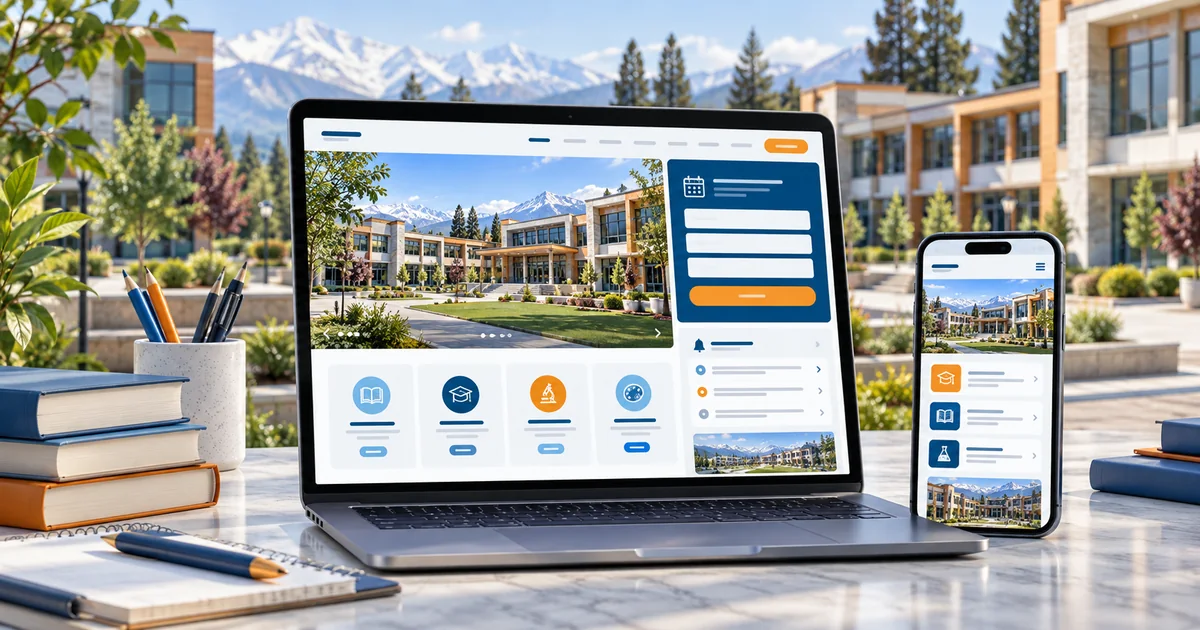
- How to serve prospective parents and current families on one website
- The pages and documents a school must prepare
- How to design an admissions journey without over-promising
- When a public website is enough — and when a parent portal makes sense
In this guide
- Designing for prospective and current parents
- School website pages that matter
- An admissions journey families can follow
- Notices, calendars and downloadable information
- Presenting curriculum and facilities
- Making updates manageable for staff
- Public website versus parent portal
- Scope, integrations and ongoing costs
- Prepare your project brief
- Frequently asked questions
Designing for prospective and current parents
Prospective families arrive with questions about identity and fit: what the school stands for, which boards and grades it offers, what facilities exist and how admissions work. Current parents arrive for practical information: notices, calendars, examination schedules and contact details.
Structure the website so both groups find their path from the homepage. A clear admissions call to action belongs at the top for new families, while a familiar "For Parents" area serves the existing community. Mixing the two into one long page helps neither group.
Keep the tone factual. Describing facilities, teaching approach and activities honestly is more persuasive to parents than generic claims about excellence.
School website pages that matter
Most schools need a compact set of pages that stay useful throughout the academic year:
- About the school: history, vision, management and affiliations, stated factually
- Academics: grade levels, curriculum and streams offered
- Admissions: process, age criteria, required documents and dates supplied by the school
- Facilities: classrooms, laboratories, library, sports and transport
- Notices and calendar: current circulars and important dates
- Contact: address, phone numbers, office hours and directions
Photographs of students should only be published when the school supplies them with the required permissions. When in doubt, use images of facilities and activities without identifiable faces.
An admissions journey families can follow
The admissions section should lead a family through the process in order: eligibility and grades offered, documents required, the form or office visit step, any assessment or interaction, and how results or offers are communicated.
Publish dates only when the school has confirmed them, and update them promptly. An out-of-date admission deadline is one of the most damaging content errors a school website can carry.
A parent in Udhampur checks nursery admission for next session. The site shows age criteria, four documents to bring, an enquiry form for the admissions office, and a line stating that the school will call within two working days. The parent sends the enquiry without visiting the campus first — and arrives prepared when called.
Notices, calendars and downloadable information
Notices work best as real pages, not only as PDF attachments. Search engines cannot read scanned circulars, and parents on small screens struggle with heavy downloads. Publish the key points as HTML, and offer the PDF as a download for those who need the original.
Keep documents accessible: readable file names, sensible sizes, and text that can be enlarged. Where a form must be printed and signed, provide both the download and clear instructions on where to submit it.
An academic calendar with term dates, examination periods and holidays should be easy to find from the homepage, and simple for office staff to update each term.
Presenting curriculum and facilities
Parents compare schools on substance. Describe each stage — pre-primary, primary, middle, secondary and senior secondary — with the subjects offered, assessment approach and co-curricular activities. Avoid vague adjectives and describe what actually happens in a week.
For facilities, list what exists today: laboratories, library, computer rooms, sports areas, transport routes and safety arrangements, using details supplied by the school. If something is planned rather than present, label it as planned.
Faculty information builds trust when schools publish it: leadership, department heads and teacher qualifications in summary form. Never publish staff details the school has not approved.
Making updates manageable for staff
Schools produce content continuously — notices, results, event photographs and holiday lists. The website must be editable by office staff with minimal training, or updates will stall after the first term.
Plan a simple content flow: who writes notices, who approves them, who publishes, and how corrections are handled. A short written handover for two staff members is usually enough.
Most routine updates are text and images. If every change requires a developer, the school is paying for the wrong website.
Public website versus parent portal
Schools often ask for a parent login before they need one. A public website and an authenticated portal solve different problems and carry different responsibilities. Decide which one the school will operate consistently.
| Option | What it does | What it requires |
|---|---|---|
| Public website | Information, admissions enquiries and notices for everyone. | Editable content and an office owner for updates. |
| Admissions workflow | Collects applications and documents with status tracking. | A documented process, data handling policy and staff training. |
| Parent portal | Authenticated access to attendance, results and fee information. | Secure accounts, integration with school records, and ongoing support. |
Start with the public website and a clean admissions enquiry flow. Add authenticated features only when the school can support them with real processes and clear data handling expectations.
Scope, integrations and ongoing costs
School website scope is driven by the number of sections, the document workload and whether admissions or portal features are included.
Core build
- Homepage for both audiences with clear admissions and parent paths
- About, academics, facilities and faculty summary pages
- Admissions process with required documents and enquiry form
- Notices area and academic calendar, editable by office staff
- Contact details, directions and transport information
Optional integrations
- Online admission application with document upload
- Parent portal with authenticated access to records
- Gallery updates for events and activities
- Alumni or newsletter sections
Ongoing running costs to plan for
- Hosting and domain renewal
- Notice, calendar and gallery updates each term
- Document maintenance and outdated content review
- Security updates, backups and form monitoring
Want an honest view of which of these you actually need? Send us your requirements and we will scope it with you. You can also read our current pricing guide before you decide.
Prepare your project brief
A school website brief should come from the leadership and admissions office together. Collect these items before the project starts.
- Approved school description, history and affiliations
- Grade levels, streams, curriculum and assessment approach
- Admissions process, age criteria, document list and dates the school has confirmed
- Facilities list with which are operational today
- Photographs and permissions for any image containing students
- The staff member responsible for publishing notices, and an approval flow
- Contact details for the office, admissions and transport desks
Frequently asked questions
Plan your school website
Share your sections, admissions process and update workflow. We will propose a structure that serves both new families and current parents.
Related industry guides

Coaching Institute Website Development
How coaching centres should structure course pages, batch details and admission enquiries, and when an LMS or student portal is genuinely worth adding.

Startup & SaaS Website Development
How founders should plan a startup or SaaS marketing site — positioning, feature pages, demo and trial journeys, and the split from the product application.
Looking for the broader picture? See our education website design in J&K page, or explore Web Development services.