Restaurant & Café Website Design
For a restaurant visitor, a good website quickly answers four questions: what is on the menu, where are you, when are you open and how can I book or order? This guide covers the pages and decisions that make those answers immediate.
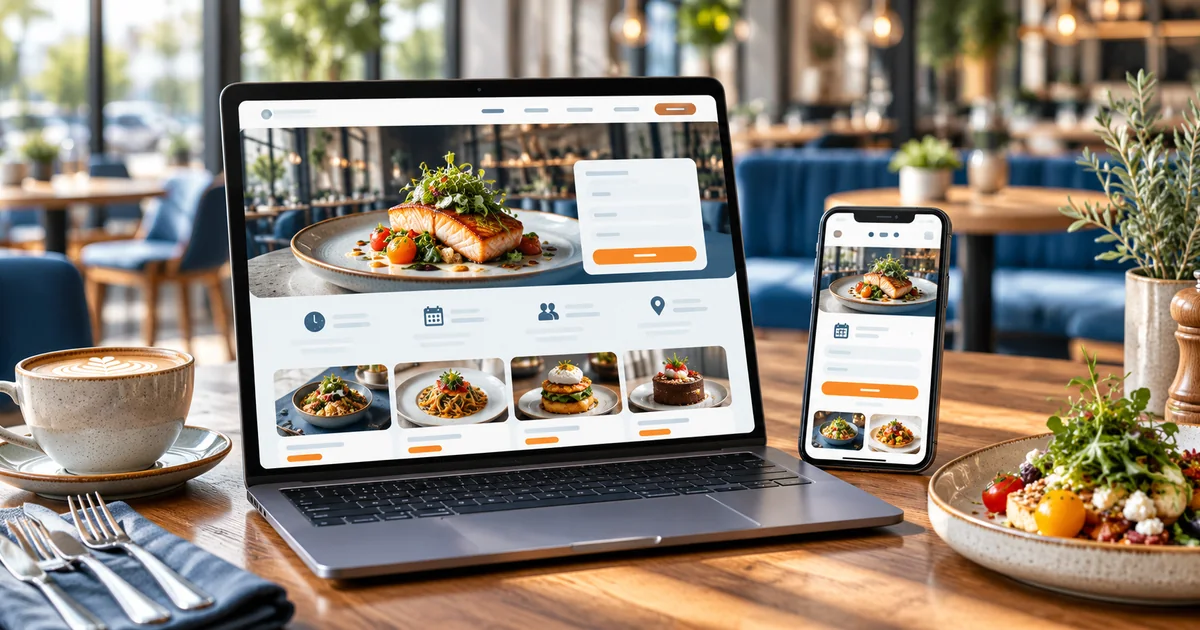
- The four questions every diner wants answered in seconds
- Why an HTML menu beats a PDF or image-only menu
- How reservation requests differ from confirmed tables
- When ordering links are enough — and when custom ordering is not worth it
In this guide
- The information diners need first
- A menu that works on mobile
- Reservations, enquiries and ordering links
- Food photography and venue atmosphere
- Locations, opening hours and local discovery
- Keeping menus and offers accurate
- A simple website versus integrated ordering
- Scope, integrations and ongoing costs
- Prepare your project brief
- Frequently asked questions
The information diners need first
Restaurant searches are immediate. Someone is deciding where to eat in the next hour, often nearby and on a phone. They want the menu, the opening hours, the location and a way to book — in that order.
Put those four things on the homepage, not three taps deep. Opening hours should be current and visible near the top; the address should open directions; and a call or reservation action should be reachable without scrolling far.
For cafés and casual dining, the same logic applies with less booking emphasis. What is served, when you are open and where to find you is the whole job.
A menu that works on mobile
The menu is the most-visited part of a restaurant website, and the most commonly ruined. A photographed printed menu or a PDF is hard to read on a phone, slow to load and invisible to search engines. Build the menu as structured HTML.
- Categories in the order a diner reads them — starters, mains, breads, desserts, drinks
- Item names with short descriptions and prices approved by the restaurant
- Dietary markers the kitchen can genuinely stand behind, such as vegetarian or Jain options
- A note on spice levels or allergens only where the kitchen has confirmed them
An HTML menu is also editable. When prices or dishes change, the team updates text — no designer, no reprint, no new PDF.
Reservations, enquiries and ordering links
Decide early what a booking on your website means. A reservation request is a message the team confirms; a confirmed booking reserves a table immediately. They require very different operations.
Most independent restaurants should start with a request: name, phone, party size, date and time preference, and a note field for occasions or seating requests. The team confirms by phone or WhatsApp, and the website states that confirmation comes separately.
For delivery, link to the platforms you already work with rather than building custom ordering. Third-party links keep logistics with the platform; a custom ordering system is a separate project with payments, rider coordination and support obligations.
A diner checks a café's lunch menu at 12:40pm. The site shows today's timings, the current menu with prices, a directions link and a reservation button. She sends a request for two people at 1:15pm, and the café confirms on WhatsApp within minutes. No app, no account, no friction.
Food photography and venue atmosphere
Photographs sell the room and the plate. Use current images of dishes the kitchen actually serves, plus the interior, seating and exterior so guests recognise the entrance. Avoid stock photos of food the restaurant does not make — guests notice, and the disappointment lands on staff.
Keep galleries light. A handful of strong, well-compressed photos loads faster and looks better than dozens of phone snapshots. Name files meaningfully and add alt text that describes the dish or space.
Update photography when the menu or interiors change. Last year's dishes on this year's menu create avoidable questions.
Locations, opening hours and local discovery
For multi-outlet restaurants, each location needs its own hours, phone number, menu notes and directions — and its own page. Sharing one page for several outlets frustrates guests and weakens local search visibility.
Keep the name, address and phone number identical across the website, Google Business Profile and delivery platforms. Landmark-based directions help guests in busy markets, and parking notes reduce calls.
Local discovery rewards accurate, specific information: what kind of food, which area, which hours. Add those details naturally to the homepage and location pages, and keep them current for festivals and seasonal hours.
Keeping menus and offers accurate
An out-of-date price is worse than no price. Restaurants should name one person who updates the menu when the kitchen changes it, and the edit should take minutes on a phone.
Offers and events need an end date or a removal routine. A festival menu still live in March makes the whole site feel abandoned. A simple notices area covers temporary closures, holiday hours and new dishes.
If the restaurant operates seasonally, plan the content cycle: what stays, what changes, and who publishes the change before the season starts.
A simple website versus integrated ordering
Ordering integration sounds attractive but carries operational weight. Match the choice to how the kitchen and floor staff actually work.
| Option | What it does | What it requires |
|---|---|---|
| Informational site | Menu, timings, location and phone — everything for a walk-in decision. | Regular menu and hours updates. |
| Reservation requests | Captures table requests and lets staff confirm. | Someone monitoring requests during service hours. |
| Connected ordering | Takes orders and payments for pickup or delivery. | Payment setup, order flow in the kitchen and ongoing support. |
Most restaurants get the best return from the first option plus clear delivery links, adding reservation requests when the phone cannot keep up.
Scope, integrations and ongoing costs
Restaurant website scope depends on menu size, the number of outlets and whether reservations or ordering are handled on the site.
Core build
- Homepage with menu, timings, location and booking actions
- Structured HTML menu with categories and prices
- Directions, landmark guidance and parking notes
- Reservation or enquiry form with a confirmation process
- Gallery of current dishes and the venue
Optional integrations
- Per-outlet pages with separate hours and menus
- Reservation system integration with table management
- Custom ordering with payments and kitchen workflow
- Events or offers section with expiry handling
Ongoing running costs to plan for
- Hosting and domain renewal
- Menu, price and hours updates
- Photography refreshes when dishes change
- Monitoring reservation requests during service hours
Want an honest view of which of these you actually need? Send us your requirements and we will scope it with you. You can also read our current pricing guide before you decide.
Prepare your project brief
Prepare these items before development. The kitchen and floor team decide what is published.
- The current menu with categories, descriptions and approved prices
- Timings, holiday policy and seasonal variations
- Each outlet address with landmarks and parking notes
- Delivery platform links the restaurant already works with
- Current food and venue photography
- The person who updates the menu when it changes
- Whether reservations are confirmed by phone or through a system
Frequently asked questions
Discuss your restaurant website
Send us your menu and how bookings work today. We will suggest a simple scope that keeps your menu accurate and your tables filled.
Related industry guides
Hotel & Houseboat Website Design in Kashmir
How hotels, guesthouses and houseboat operators should present rooms, amenities and booking information so guests can enquire and confirm with confidence.
Travel Agency & Tour Operator Website Development
How tour operators should structure package pages, day-by-day itineraries and custom-trip enquiries so quotations can be prepared accurately.
E-Commerce Websites for Kashmir Brands
How Kashmir retailers, craft sellers and product brands should scope an online store around catalogue clarity, payments, delivery and ongoing running costs.
Looking for the broader picture? See our local marketing services page, or explore Web Development services.