Real Estate Website & Lead Management Solutions
A property website should help visitors narrow their options and give the sales team enough information to arrange a useful conversation or site visit. This guide covers listing structure, enquiry qualification and the lead management decisions that shape the build.
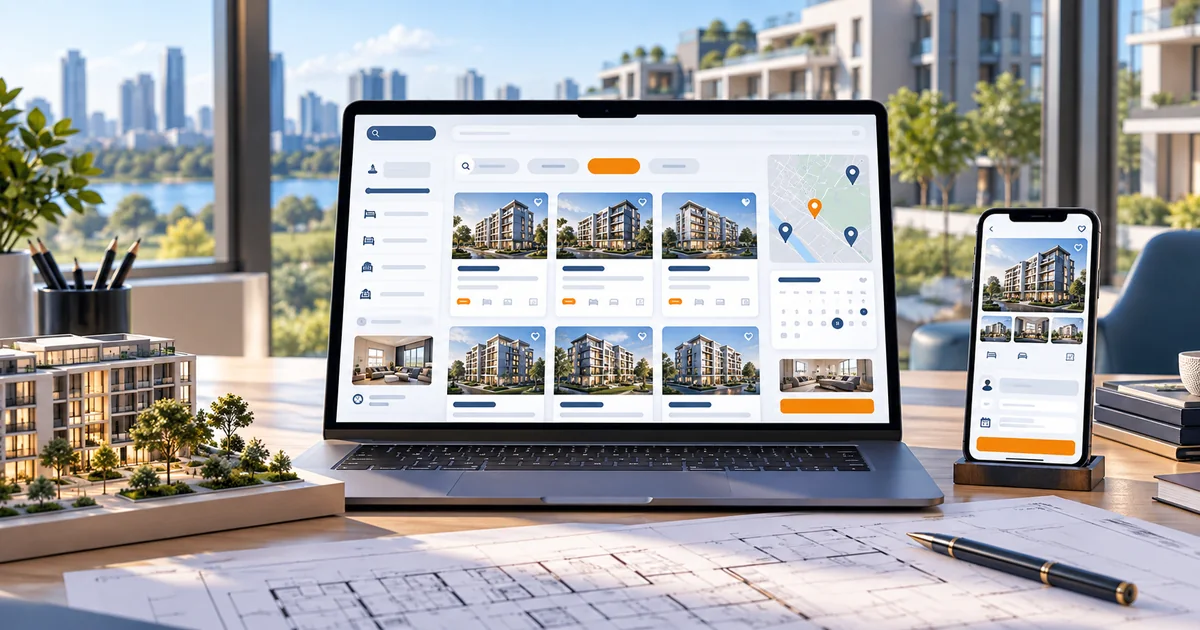
- How property discovery and lead follow-up connect
- What listing and project pages must include
- Which details qualify a site-visit request
- When a brochure site should grow into a lead platform
In this guide
- Matching property discovery with lead follow-up
- Listing and project-page essentials
- Filters, photographs, floor plans and location
- Site-visit requests and lead qualification
- Keeping listing availability current
- CRM assignment, status and follow-up
- Planning your property platform
- Scope, integrations and ongoing costs
- Prepare your project brief
- Frequently asked questions
Matching property discovery with lead follow-up
Property buyers and tenants browse in a specific way: they filter by budget, location, property type and size, then shortlist a handful. Every shortlisted property is a potential site visit, and every site visit is a sales conversation.
The website's job is to support that sequence — clean listings, useful filters, and a request form attached to the property the visitor was just viewing. If the enquiry arrives without the property reference or budget, the sales team starts the conversation from zero.
For developers, the same logic applies to project pages: unit sizes, configurations, payment terms supplied by the developer, and an enquiry path per project.
Listing and project-page essentials
Each listing needs enough detail to be judged without a phone call:
- Property type, configuration and size in the units buyers use
- Location described by locality and landmarks, with a maps link
- Price or price range, published only when the owner has approved it
- Availability status, updated when it changes
- Photographs and floor plans supplied by the owner
- A single site-visit request action tied to that property
Project pages add construction status, configuration options and possession timelines that the developer has confirmed. Never publish approvals, completion dates or specifications that are not documented, and never reuse another project's photographs.
Filters, photographs, floor plans and location
Filters should match how buyers think: budget range, locality, property type, bedrooms, furnishing and availability. Too many filters confuse; too few force visitors to scroll. Start with the five that actually reduce a long list.
Photographs decide whether a listing is opened. Use representative, current images — exterior, interior, views — and label any render or illustrative image clearly. Floor plans should be readable on a phone, which usually means a clean line drawing rather than a scanned sheet.
Location details should be factual: nearby schools, transport and markets described as they are, not as marketing promises. Avoid claims about future infrastructure unless they are officially approved and verifiable.
Site-visit requests and lead qualification
A site-visit request should capture the visitor's intent while it is fresh. Ask for name, phone, preferred day or time window, and any questions about the property. The listing reference is attached automatically.
Qualify gently: buyers who state a budget range and timeline get faster, more relevant responses. If financing is involved, a note on loan readiness helps the salesperson prepare, though the website should not offer financial advice.
A buyer shortlists two flats in a Jammu locality on a phone. She sends a site-visit request from one listing with a Saturday preference and a question about parking. The request is assigned to the salesperson handling that project, who confirms the visit and brings the parking details to the meeting. The second listing never hears back.
Keeping listing availability current
Stale listings waste everyone's time and are the fastest way to lose credibility. A property marked available after it is sold generates site visits that cannot happen.
Define a simple status workflow — available, under negotiation, sold or rented, on hold — and decide how often listings are reviewed. New inventory should be publishable by the sales team in minutes, with image and document uploads that do not require a developer.
Archived properties can remain visible with a clear "no longer available" state, which also helps buyers trust that the active listings are real.
CRM assignment, status and follow-up
Lead management is the difference between a property website that produces enquiries and one that produces sales. Each enquiry needs an owner, a status and a next action.
Assignment can be by project, locality or team rota. Statuses should be few and meaningful: new, contacted, visit scheduled, negotiating, closed. Follow-up reminders prevent leads from cooling while a salesperson waits for the weekend.
A CRM integration makes assignment and tracking easier at scale, but a disciplined shared process works for small agencies. The tool matters less than the habit of recording outcomes.
Planning your property platform
Property websites range from a simple project brochure to a full listings platform with lead management. Choose the smallest scope that matches how you actually sell today.
| Scope | Suits | Key decision |
|---|---|---|
| Project or brochure site | A developer or agency marketing one or two projects. | How unit details and approved pricing are published. |
| Searchable listings | Agencies with changing inventory across localities. | Who keeps statuses current and how filters are structured. |
| Lead platform | Teams with multiple salespeople and shared inventory. | CRM choice, assignment rules and reporting. |
Content ownership also needs a decision: listing text and photographs belong to the owner or agency, and publishing them on the website requires permission. Keep price displays to what the seller has approved, and avoid promising returns or appreciation — the website describes properties, it does not give investment advice.
Scope, integrations and ongoing costs
Property website scope is set by inventory size, how often listings change, and whether lead management is included.
Core build
- Listing pages with property details, photos and availability status
- Filters for budget, locality, type and configuration
- Site-visit request form attached to each property
- Project pages with approved configurations and timelines
- Contact details for the sales team and office locations
Optional integrations
- CRM integration with lead assignment and status tracking
- Map search and locality pages
- Seller or owner submission forms for new listings
- Property feed import from an existing listings system
Ongoing running costs to plan for
- Hosting and domain renewal
- Listing updates, photography and status management
- CRM or map licence fees where used
- Lead response discipline and periodic data cleanup
Want an honest view of which of these you actually need? Send us your requirements and we will scope it with you. You can also read our current pricing guide before you decide.
Prepare your project brief
Prepare these items before development so listings launch accurate and the sales process is ready to receive leads.
- The property list with types, configurations, sizes and locations
- Approved pricing rules — what can be published and what stays on request
- Photographs and floor plans with permission to publish
- The site-visit and enquiry fields the sales team wants
- Who updates listings and how often availability is reviewed
- Assignment rules if multiple salespeople handle enquiries
- Any existing CRM or listings system the website must work with
Frequently asked questions
Plan your property website
Tell us how many listings you manage and how leads are handled today. We will suggest a scope that keeps inventory current and follow-up accountable.
Related industry guides

Startup & SaaS Website Development
How founders should plan a startup or SaaS marketing site — positioning, feature pages, demo and trial journeys, and the split from the product application.

Manufacturer & B2B Website Development
How manufacturers and B2B suppliers should structure product specifications, technical documents and RFQ enquiries so sales teams receive requirements they can act on.
Looking for the broader picture? See our web development for property platforms page, or explore Software Solutions services.