Hospital Website Design in Jammu & Kashmir
A hospital website should help someone find the right department, understand where to go and request an appointment without searching through confusing menus. This guide explains the pages that matter, the content to prepare and the decisions to make before you brief a development team.
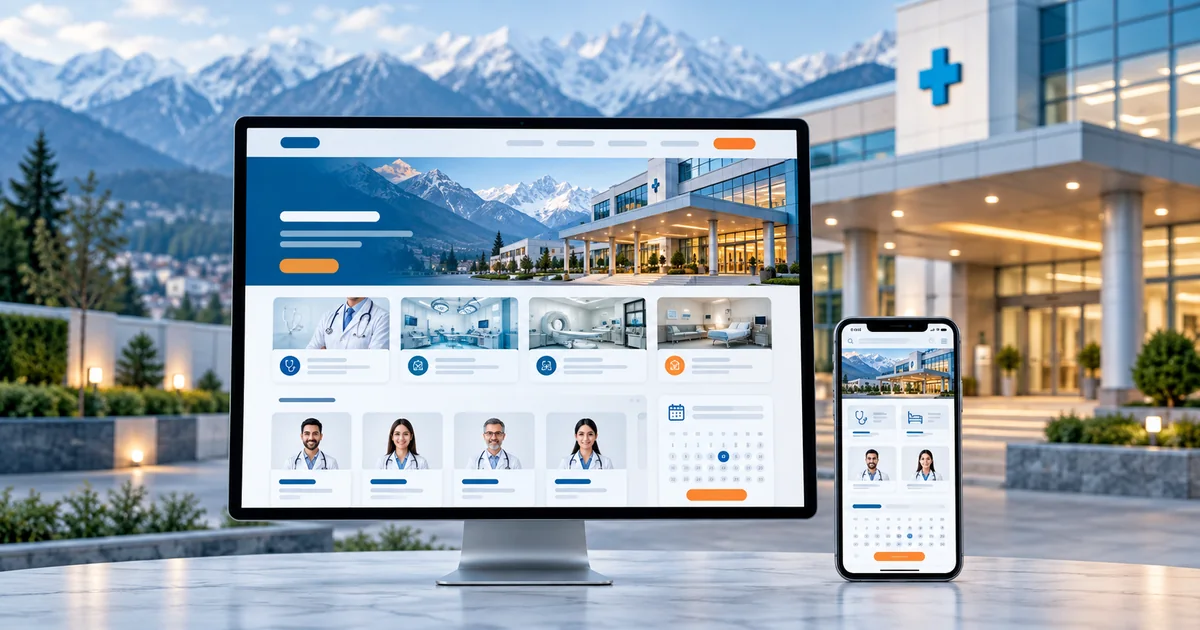
- The five things a patient looks for before they contact a hospital
- How department pages, doctor pages and location pages should connect
- The difference between an enquiry form, appointment scheduling and a patient portal
- What content a hospital must prepare before development begins
In this guide
- What patients need before contacting a hospital
- A practical hospital website structure
- Features that reduce enquiry confusion
- Enquiry forms versus online booking
- Content, accessibility and information handling
- Search visibility for departments and services
- Scope, integrations and ongoing costs
- Prepare your project brief
- Frequently asked questions
What patients need before contacting a hospital
Hospital websites are usually visited under pressure. Someone is worried, searching on a phone, and trying to answer a small number of practical questions: which department treats this problem, which doctor is available, where is the hospital, what are the timings, and what is the next step?
If a visitor has to download a PDF, scroll through a department list with no descriptions, or call a general number just to learn consulting hours, the website has failed at its only job. The useful content is unglamorous: department names, doctor specialities, outpatient timings, floor or block location, and a clear way to send an enquiry.
A visitor in Jammu searches for an orthopaedic consultation for a parent with knee pain. A useful site answers four things before any form: the orthopaedics department is at the Gandhi Nagar block, Dr Sharma consults Monday to Friday from 10am to 2pm, the visitor needs an X-ray report from a previous visit, and the next step is an enquiry or phone call. Nothing else is required to take the visit further.
A practical hospital website structure
Hospitals rarely need a complicated website. They need a structure that stays predictable as the institution grows. The homepage should orient the visitor quickly: the main specialities, the locations, emergency information and a prominent contact action. Department pages carry the detail.
- Departments: one page per speciality with services offered, common conditions treated and a link to the relevant doctors.
- Doctor directory: searchable by speciality and location, each profile with qualifications, timings and the department page it belongs to.
- Patient information: admission process, visiting hours, insurance or billing questions and preparation notes supplied by the hospital.
- Facilities and diagnostics: what equipment and tests are available, and where.
- Contact and directions: branch addresses, landmark guidance, parking notes and tap-to-call numbers.
The important detail is linking. A doctor profile should link to its department; a department should list its doctors; both should link to the correct location page. Visitors move between these three sets of pages in one session, and disconnected pages force them to start again.
Features that reduce enquiry confusion
Most wasted enquiries come from missing context, not from a bad form. Specialty filters, documented consulting schedules, tap-to-call buttons, directions links and straightforward patient information all reduce the number of visitors who give up or send an enquiry the staff cannot act on.
For a multi-speciality hospital, filtering doctors by department and location is more valuable than any visual flourish. If a hospital has more than one site, each site needs its own address, timings and contact path, because patients choose the branch first and the doctor second. Larger text, plain language and sufficient contrast are practical choices for visitors who are older or reading in a hurry, not extras.
Enquiry forms versus online booking
This is the decision that changes budgets and staff workflows most. An appointment enquiry is a request — it does not reserve a slot. Real scheduling writes to a calendar that the hospital controls, and usually connects to an existing hospital information system. Be clear about which one you are buying.
| Option | What it does | Operational complexity |
|---|---|---|
| Enquiry form | Collects the visitor's details and requested department; staff call back to confirm. | Low. Needs a monitored inbox or WhatsApp number and an owner. |
| Confirmed scheduling | Shows real slots and confirms an appointment without a call back. | High. Needs doctor calendars, rules for cancellations, and integration with hospital systems. |
| Patient portal | Authenticated login for reports, history and repeat visits. | High. Needs secure accounts, data handling policy and ongoing maintenance. |
Start with the enquiry form unless the hospital already runs a scheduling system. A form with a response time the staff can actually meet is more trustworthy than a booking button that leaves patients waiting.
Content, accessibility and information handling
Medical content needs a review process. Qualifications, department services and doctor profiles should be supplied or verified by the hospital, with one named person responsible for approvals. This is also true for photography: images of facilities are usually fine, but images showing patients or staff need written permission from the hospital.
An enquiry form should ask for the minimum needed to respond — name, phone, department and a short note. It should explain what happens next and how the information will be used, and it should never imply clinical advice. Do not publish treatment promises or comparisons; describe services factually.
Search visibility for departments and services
Hospitals win local search with specific, factual pages rather than a single homepage. A page for the cardiology department in Jammu, a page for the diagnostic centre in Srinagar and a page for each location gives search engines something concrete to rank and gives patients something specific to open.
Keep addresses and phone numbers identical everywhere they appear, including the hospital's Google Business Profile. Link related pages contextually — a diabetes treatment page links to the endocrinology department, which links to relevant doctors and the location they consult from.
Avoid publishing several near-identical pages for every locality. A handful of accurate, useful pages describing real services and real locations performs better than dozens of thin duplicates.
Scope, integrations and ongoing costs
Hospital website scope varies with the number of departments, doctors and locations. The features below are the ones that actually affect cost.
Core build
- Homepage with specialities, emergency information and contact actions
- Department pages with services and linked doctors
- Doctor directory with filters by speciality and location
- Location pages with directions, timings and tap-to-call
- Enquiry form with department routing and a monitored inbox
- Patient information pages supplied and approved by the hospital
Optional integrations
- Appointment scheduling connected to existing hospital software
- Patient portal with authenticated reports access
- Multi-language content, where the hospital serves diverse patient groups
- Diagnostic report download with secure access controls
Ongoing running costs to plan for
- Hosting, domain and SSL renewal
- Content updates for doctor changes, timings and notices
- Form monitoring, responses and spam filtering
- Backups, security updates and periodic performance checks
Want an honest view of which of these you actually need? Send us your requirements and we will scope it with you. You can also read our current pricing guide before you decide.
Prepare your project brief
A hospital website brief is mostly a content exercise. Collect these before you approach any development team, and scoping takes days instead of weeks.
- The full department list, with one paragraph describing each
- Doctor records: name, speciality, qualifications, consultation timings and location
- Every branch address with landmarks and the correct contact numbers
- The staff member who will own enquiry responses, and the response time you can commit to
- A list of facilities and diagnostics, with which site offers them
- Any existing software or scheduling system the website must connect to
- Approved photography and written permission for any image containing people
Frequently asked questions
Discuss your hospital website
Send us your department list and locations. We will suggest a practical structure, point out what can wait for later and give you a clear scope to start from.
Related industry guides
Clinic & Doctor Website Design in Jammu & Kashmir
How a small clinic or individual doctor should present credentials, consultation details and treatments, and why a simple local contact journey beats a complicated portal.
Dental Clinic Website Design
How dental practices should explain treatments in plain language, present their clinicians and make a consultation request easy to send.
Looking for the broader picture? See our healthcare website design in J&K page, or explore Web Development services.