Dental Clinic Website Design
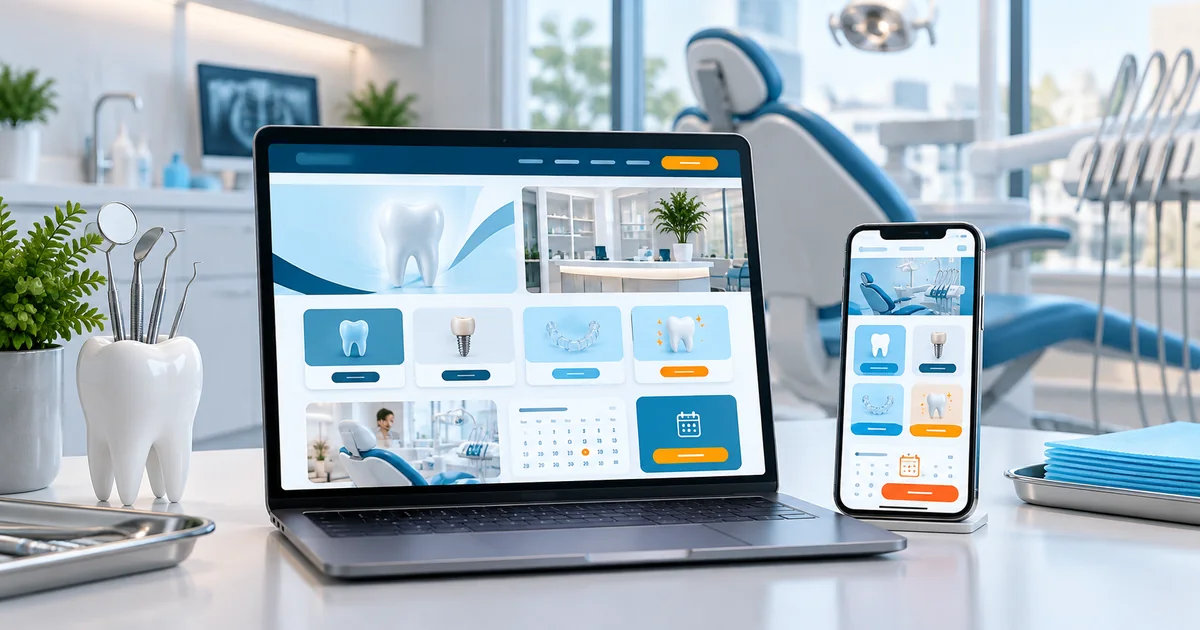
A dental website should explain treatments in understandable language and make the next step — asking a question or requesting a consultation — easy to find. This guide covers the pages a practice needs, how to handle trust and photography responsibly, and how to scope the build.
- What patients compare before choosing a dental practice
- How to structure treatment pages without overwhelming visitors
- Where photography and testimonials help — and where permissions are needed
- Which features belong at launch and which can wait
In this guide
- How visitors evaluate a dental practice
- Organising treatment pages clearly
- Dentist profiles and practice information
- Consultation requests and follow-up
- Using photographs and testimonials responsibly
- Mobile usability and local discovery
- Choosing the right website scope
- Scope, integrations and ongoing costs
- Prepare your project brief
- Frequently asked questions
How visitors evaluate a dental practice
Dental enquiries usually start with a specific need: a toothache, a cleaning, braces, an implant or a child's first check-up. Visitors are quietly checking three things — whether the practice handles their treatment, who the dentist is, and how easy it is to get seen.
A useful dental website answers those quickly. The homepage should state the treatments clearly, show the dentists with their special interests, and present a single obvious action: request a consultation or call the practice.
Prices are the most common unanswered question. You do not have to publish a full price list, but a clear line on how pricing works and whether insurance or instalments are accepted removes a real barrier to enquiring.
Organising treatment pages clearly
Group treatments so patients can find them without dental vocabulary. Sections such as general dentistry, cosmetic treatments, orthodontics and children's dentistry cover most practices, with individual pages for braces, implants, root canals, whitening and similar services.
- One page per treatment, with what it is, who it suits and what a first visit involves
- A short note on how many visits the treatment usually takes, supplied by the practice
- Links to the dentist who performs it and to the consultation request form
Write for a nervous patient. Explain sensations and after-care factually, and avoid claims about guaranteed results or painless procedures. Honest explanations reduce cancellations.
Dentist profiles and practice information
Each dentist needs a profile with their qualifications, areas of interest and consultation days. It should also list the languages they speak — a practical detail in Jammu and Kashmir where patients value being understood.
Practice information should cover the clinic address with a landmark, parking, accessibility, sterilisation practices the clinic is comfortable stating, and emergency contact guidance. If the practice treats children, say so, with the age groups it accepts.
Accessibility and directions deserve as much attention as treatment copy. A patient in discomfort will abandon a site that hides its location behind a contact form.
Consultation requests and follow-up
The enquiry journey should take under a minute. A visitor picks a treatment, sees the dentist who handles it, checks timings and sends a request with name, phone and a one-line description. The practice replies with a suggested time.
Distinguish clearly between a request and a confirmed appointment. A message saying "We will call you to confirm" is better than a confirmation screen that quietly creates a missed appointment on the practice side.
A visitor compares three dental practices for a root canal. The one that answers quickly — treatment pages that explain the likely number of visits, dentist profiles, evening hours and an enquiry form that receives a same-day call — wins the appointment. The other two show only a phone number during clinic hours.
Marketing enquiries should stay separate from clinical records. A website form is for scheduling conversations, not for medical history.
Using photographs and testimonials responsibly
Real photographs of the clinic and team build confidence. Consumer protection and professional advertising expectations around before-and-after dental images vary, so include such photographs only with written patient permission and only when the practice is satisfied the content is appropriate.
The same applies to testimonials. Use reviews the practice has actually received, keep them in their original meaning, and do not imply that outcomes are guaranteed or typical. Avoid stock imagery of procedures that never took place at the clinic.
When in doubt, describe the experience instead: what the first consultation includes, what sterilisation steps are followed and how the team explains treatment options.
Mobile usability and local discovery
Most dental searches happen on a phone, often from nearby. The site should load quickly, have tap-to-call and directions buttons, and read comfortably on a small screen. Forms should use the right keyboard types and avoid unnecessary fields.
For local discovery, keep the practice name, address and phone number consistent across the website, the Google Business Profile and directory listings. Location pages should describe the practice honestly and mention nearby landmarks patients use.
Asking satisfied patients to leave a Google review is more effective than any on-page promise. Reviews are visible where decisions are made.
Choosing the right website scope
Dental practices are often tempted to buy a large marketing package when a focused website would bring more value. Launch with the essentials, then add features when there is a clear operational reason.
| Essential at launch | Optional later |
|---|---|
| Homepage, treatments overview and 5–8 treatment pages | Additional treatment pages for new services |
| Dentist profiles, timings, address and directions | Multiple branch pages with per-branch teams |
| Consultation request form, call and WhatsApp actions | Appointment system integration and reminders |
| Approved clinic photos and honest treatment explanations | Patient education blog and video content |
Each optional item adds cost and maintenance. Add them when the practice can support them consistently.
Scope, integrations and ongoing costs
Dental website scope depends on the number of treatments published, the number of dentists and whether booking integration is genuinely needed.
Core build
- Homepage with treatments overview and clear contact actions
- Treatment pages grouped by category
- Dentist profiles with qualifications and special interests
- Clinic information: address, timings, directions, accessibility
- Consultation request form with a documented response process
Optional integrations
- Appointment booking integration with an existing practice system
- Patient education content and after-care pages
- Multiple branch pages for group practices
- Review display using genuinely received testimonials
Ongoing running costs to plan for
- Hosting and domain renewal
- Updates for dentist changes, new treatments and timings
- Monitoring enquiries during clinic hours
- Security updates and backups
Want an honest view of which of these you actually need? Send us your requirements and we will scope it with you. You can also read our current pricing guide before you decide.
Prepare your project brief
Prepare these items before briefing any developer. The practice decides the content; a good build then moves quickly.
- The list of treatments, grouped, with one paragraph each
- Each dentist’s qualifications, special interests and consultation days
- Clinic photographs and permission for any image showing patients
- Clinic timings, holiday policy and emergency contact guidance
- The enquiry channel and the staff member who answers it
- A decision on whether prices, insurance or instalment options are published
- Any existing booking or patient-management software the site must connect to
Frequently asked questions
Discuss a dental website
Share your treatment list, dentists and how you handle enquiries now. We will shape a scope that matches the practice and can grow with it.
Related industry guides

Clinic & Doctor Website Design in Jammu & Kashmir
How a small clinic or individual doctor should present credentials, consultation details and treatments, and why a simple local contact journey beats a complicated portal.
Hospital Website Design in Jammu & Kashmir
What a hospital website must do, the department and doctor content to prepare, and how to scope appointment enquiries and patient information properly.
Looking for the broader picture? See our healthcare website design in J&K page, or explore Web Development services.